


Before you leave
AThe applicationThe same form as the visa on arrival
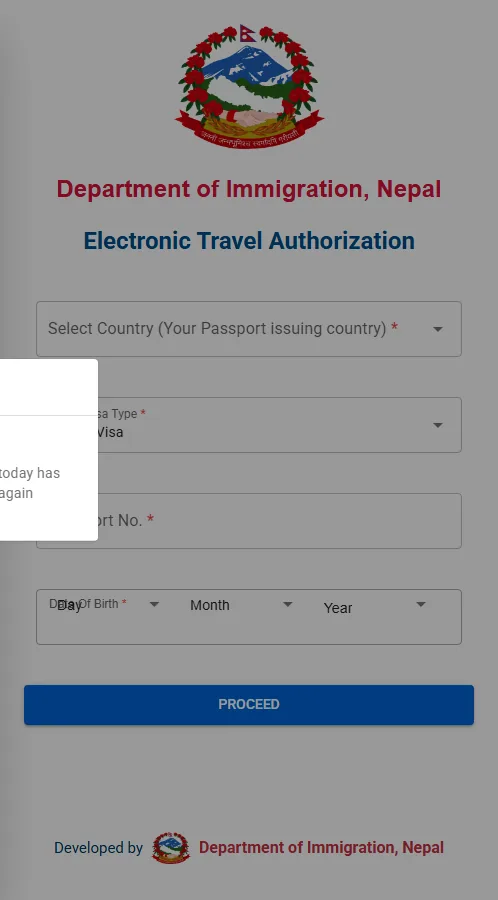
- Go to nepaliport.immigration.gov.np, click Online Visa Application and choose Electronic Travel Authorization (ETA). You can do it well ahead of departure: the authorisation is valid 6 months. Just avoid the last week, between the review (up to three working days) and the daily cap.
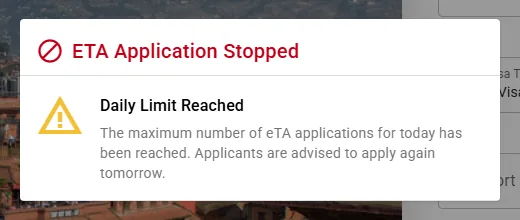
- If the portal shows “Daily Limit Reached”, the day's cap is full: try again early the next morning, Nepal time (UTC+5:45), or use the visa on arrival paid online instead, which has no cap.
- Fill in the form exactly as in your passport: identity, number, dates, entry point, address in Nepal, requested duration. Upload your white-background photo and the passport ID page.
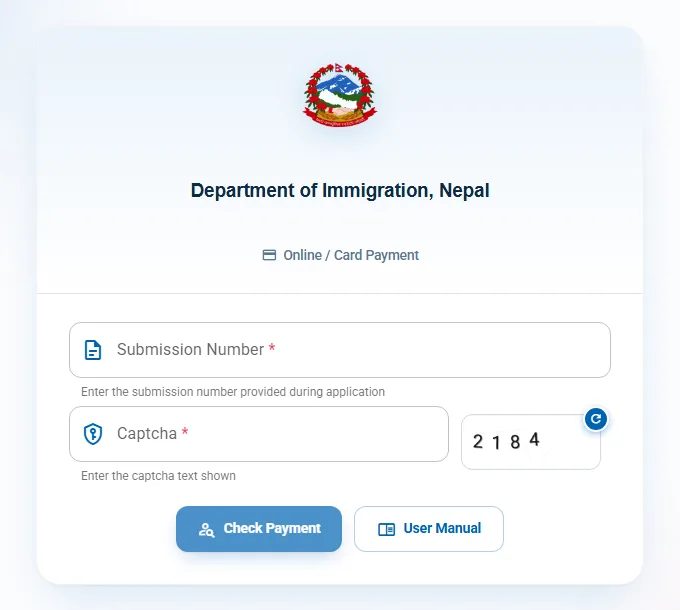
- Submit and note your Submission ID: you need it to track the file and to pay.
BThe reviewWhat sets the eVisa apart
- Immigration reviews your file: a few hours to three working days. Watch your inbox, spam folder included.
- Once approved, you are invited to pay: Card Payment, connectIPS gateway, Visa, Mastercard, American Express or UnionPay, 3.5% fee (USD 1 minimum). Click once, don't reload the page.
CThe authorisationTo print
- The document is not attached to the email: download it on the portal under Digital Time Card → Print ETA.
- Print the authorisation with its QR code. It is valid 6 months: you must enter Nepal within that time. The length of stay (15, 30 or 90 days) starts on entry.
On arrival in Kathmandu
The self-service kiosks
The computers are on the right as you enter the hall. You type in your details (identity, passport, address in Nepal, duration), your photo is taken, the machine prints a form with a barcode. This is the longest queue when several flights land at once. The printer sometimes fails: take a photo of the final screen, it is accepted at the payment counter.
10 to 40 min depending on trafficThe payment counter
The payment counters are at the far left of the hall. You hand over the form (the duration, 15, 30 or 90 days, was chosen at the kiosk or online) and pay. US dollars in cash preferred; other major currencies accepted at the day's rate, card not always accepted.
5 to 20 minThe immigration desk
Passport, form and payment receipt. The officer checks, takes your photo (and sometimes your fingerprints), then sticks the visa in your passport. Check the duration before you walk away.
5 to 15 minWalk past the kiosks and the payment counter. At the immigration desk: passport and printed authorisation. The officer scans the QR code, takes your photo and fingerprints, sticks the visa in your passport and stamps your entry. This route is described from the portal and official sources: we have not tested the eVisa ourselves yet.
Loading comments…